CanHelp
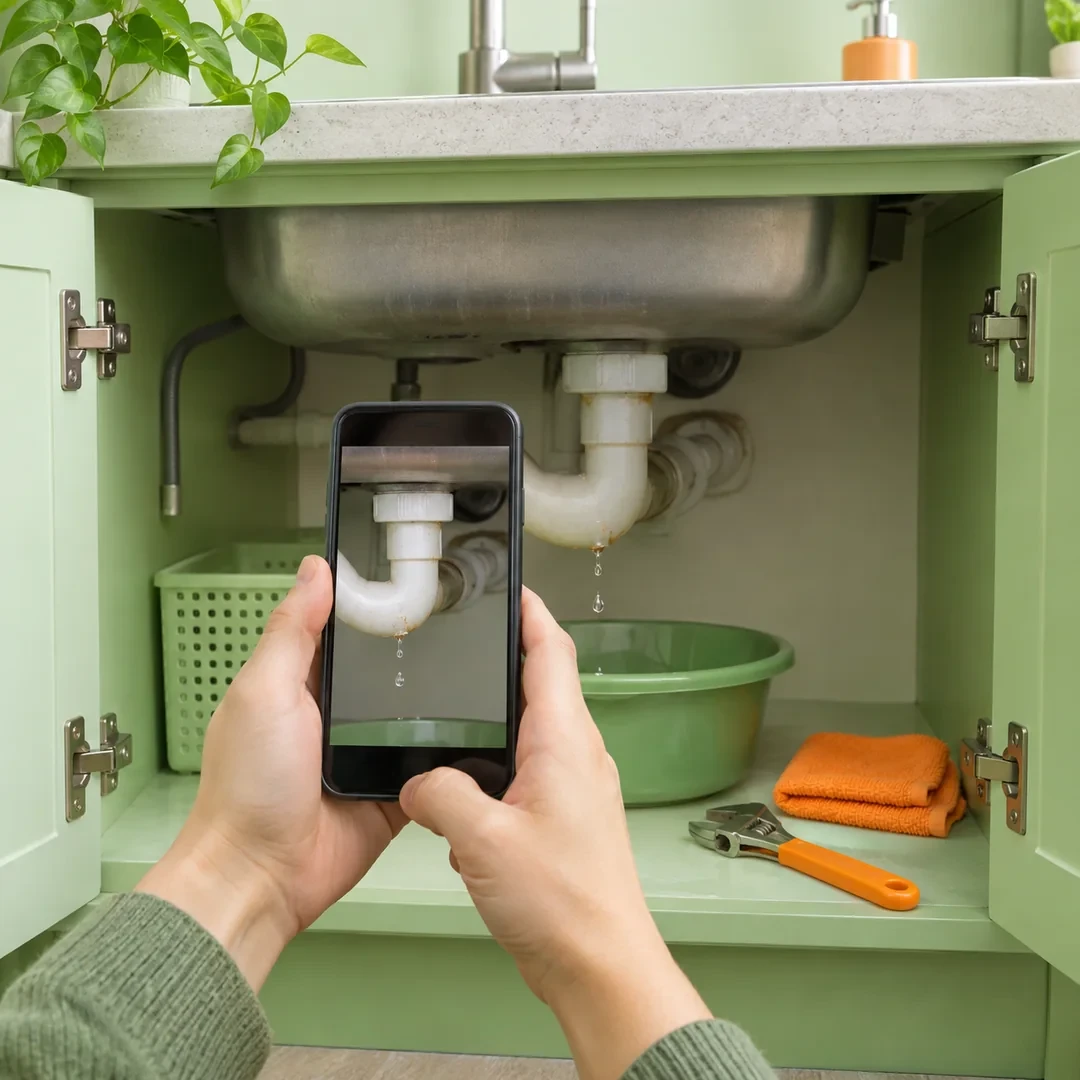
CanHelpPhotos in your task listing: show the problem clearly Useful photos in your task listing help a professional understand the problem, the setting and the information still needed before making an offer. Combine a wide view, close details, an appliance label and relevant measurements to give your description a clear visual reference. Start with the whole area Take a photo showing the complete item or the area where you need work. For a dripping tap, include the sink and surrounding space; for furniture assembly, show the parts and the room where the finished piece will stand. A wide view can reveal access restrictions, nearby fittings and the space available to work. If you are looking for a professional in Athens, whether in Glyfada, Marousi or Peristeri, these details help explain the job beyond its location. Use available light and hold your phone steady. Avoid filters that change colours or heavy digital zoom that hides detail. Before moving on, check whether someone unfamiliar with your home could identify the item and understand where the work is needed. If a cupboard blocks access, show that too. Add close details and explain what happens Next, photograph the crack, damaged fitting, stain or other visible problem. Leave enough surrounding detail in the frame to make its position clear. A close photo of a hinge is more useful when the professional can also see which door it belongs to. Some problems are about behaviour rather than appearance. Explain that the door catches on the floor when you close it, that an appliance displays an error message, or that a damp patch becomes more noticeable after rain. Describe what you observe instead of presenting an unconfirmed diagnosis. If you have been searching “how to describe a repair job”, use this approach: say what happens, when it happens and which photo shows the relevant area. Do not dismantle equipment, touch exposed wiring or operate a faulty appliance simply to capture the problem. Include labels and meaningful measurements For an appliance repair task, photograph an accessible label showing the brand and model. Check that the lettering is readable and reflections do not cover it. If the display shows an error, add a separate photo and copy the message into your description. Do not move a heavy appliance or remove a protective cover to find its label. If you cannot reach it safely, say so. A professional can ask for further details during your conversation. Measurements matter for jobs involving shelves, curtains, furniture or surfaces. State the unit and explain what you measured: the width of an opening, the height of a wall or the depth of a cabinet. You can include a photo of the tape measure, but also write the measurement in the listing. Mark estimates clearly so they are not mistaken for precise dimensions. Review the photos and write a useful description Look through your pictures as though you have never visited the property. Can you identify the problem? Is there an obstacle outside the frame? Does the close detail match the item in the wider view? Replace blurred pictures and remove repeated images that add nothing. Keep documents, faces, keys and personal information out of view. If you need to show an appliance model, avoid including an entire receipt with your details visible. Someone searching for “furniture repair near me” in Thessaloniki or “looking for a handyman in Athens” can turn that search into a specific task. For example: “The wardrobe door does not close properly. The wide photo shows the wardrobe; the close photo shows the upper hinge. I have included the door measurements and would like the repair options assessed.” This gives professionals something concrete to discuss. How to post your task through CanHelp Publish your task on CanHelp for free and add your photos and description. Nearby professionals see the task on the map and send offers. You can review their profiles and reviews, then agree on the price and timing directly in chat. Payment is arranged directly between you and the professional. Clear photos support that conversation, although some jobs still require an inspection before the scope can be confirmed. Frequently asked questions Is one close photo enough? Include a wide view as well when possible. It shows where the problem sits and whether access could affect the work. What if the problem is invisible? Describe the symptoms and when they occur. Include a visible error message if there is one, without recreating an unsafe situation. Do I always need measurements? Include them when size affects the task. Explain exactly what you measured and whether the measurement is approximate. Can I post without the appliance model? Yes. State that the model is unknown and share any information you can access safely. Will photos provide a final price? That depends on the work. Ask what the offer covers and whether an in-person assessment is needed. Register at canhelp.gr and prepare a task listing that shows professionals what you need. The CanHelp app is available for Android and iPhone.
← All posts